Test 1, 2, 3...
For testing avatar's, pictures, and sig's.
2,677 topics in this forum
-
-
Here it is:
-
0
Reputation Points
- 0 replies
- 439 views
-
-
Your weak sauce.
-
0
Reputation Points
- 0 replies
- 439 views
-
-
-
-
Sorry i must have stated it wrong what i was trying to say is should i run two 1/0 POWER wires or will 1 be sufficient enough.
-
0
Reputation Points
- 0 replies
- 439 views
-
-
38hz
-
0
Reputation Points
- 0 replies
- 438 views
-
-
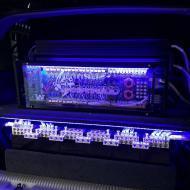
oh and if ya search for (my latest improvement build) in the search you can find my post with the pics of my current setup i personally like the blue one. If you have any questions about installing it let us know yes i just ordered a blue one my fave. also i'll be sure to ask thanks i know were im going to install it now and its going to look great!!! My volt meters scheduled to be here 2m. So to calibrate it I hook it up to my amp. Test my battery with a DMM. And set the meter to whatever the batterys readin?
-
0
Reputation Points
- 0 replies
- 438 views
-
-
I can't figure out, from the manual, how to wire a single DVC 4ohm to the 1000D? Can someone help? The +'s and -'s are internally bridged, so if you are looking for 2 ohm on a single woofer, you can wire it so both of the positives on the amp goto the +'s on the woofer and both the -'s on the amp goto the -'s on the woofer.
-
0
Reputation Points
- 0 replies
- 438 views
-
-
http://www.soundsolutionsaudio.com/forum/i...showtopic=26179
-
0
Reputation Points
- 0 replies
- 438 views
-
-
-
what about RE subwoofer???
-
0
Reputation Points
- 0 replies
- 438 views
-
-
ohhh I'm sticking around for this one.
-
0
Reputation Points
- 0 replies
- 438 views
-
-
If you think that being a proven fibber is a point of pride, then you are. Call me crazy, but liars aren't the folks to trust.
-
0
Reputation Points
- 0 replies
- 438 views
-
-
Yes, the used amp for $325 is still available.
-
0
Reputation Points
- 0 replies
- 437 views
-
-
Already put terminals in my box, but thanks. And my question isn't in regard to connecting coils to the box, sorry if that was unclear. My question is connecting coil to coil. I'll go in the garage and post some pics to make things clear. thanks anyways! i here what your trying to do....wire it from + to + then to the amp, and same for the negitive, i would say trim to fit thats your best bet
-
0
Reputation Points
- 0 replies
- 437 views
-
-
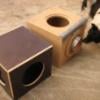
Here's a kind of cool pic of the enclosure, with my 3 OG JL 10W6s in the background..... .
-
0
Reputation Points
- 0 replies
- 437 views
-
-
WOW I had to dig alot but I found specs for the improved version my kove, and remember this is the improved version, and I typed them into WinISD and I was shocked, the response curve was horrible, yes this sub gets damn loud, but the xcon was almost completely flat, and this kove dips down so far its amazing it can sound as good as it does, This xcon is gonna be truly awesome compared to what i'm used to. the difference in 40hz and a 20 hz is a 25db drop,
-
0
Reputation Points
- 0 replies
- 437 views
-
-
hes not stupid.. hes just a jerk when he attempts to help.
-
0
Reputation Points
- 0 replies
- 436 views
-
-
-
-
That's very helpful and educational. You see, the horizontal section of the trunk cage is slightly more than 7.75" above the floor. As I would prefer a downfiring enclosure - mostly due to aesthetics - 3/4" doesn't leave me much room to work with. The drivers are 4.5" deep. As far as audio, I'd much rather go for 3/4" with a double baffle and structural reinforcement, and I will do just that for another project. In this case, the car is the focus; the system is secondary in importance, so I'll most likely opt for 5/8. That'll leave me ~1.5", or just a little more, between the floor and the box. As you mentioned, the ~4lb difference in material isn't enough to lose sleep o…
-
0
Reputation Points
- 0 replies
- 436 views
-
-
For implementation I would direct them to a please read before posting rule, don't force them but tell them they have to go there. Put this topic in the Newbie Sign In section and then if they don't follow we can just tell them they agreed to read this before posting and ignored the rule. It will hopefully save a lot of emotions on our part over questions.
-
0
Reputation Points
- 0 replies
- 435 views
-
-
through ***
-
0
Reputation Points
- 0 replies
- 435 views
-
-
sorry posted in wrong forum. will repost in sundown forum.
-
0
Reputation Points
- 0 replies
- 435 views
-
















Who's Online (See full list)
- There are no registered users currently online