
Aaron Clinton
Admin
-
Joined
-
Last visited
Everything posted by Aaron Clinton
-
 :dance: :dance: :gift: :gift: :gift: :gift: :gift:
 -
In a way, stefan is one of our few Icon prototype abuse testers. Silly rabbit, SQ subs are for goobers.
-
Kelly Rowland Commander
Lolene Sexy People Funk Generation Vocal Club Mix
Rihanna Rude Boy [Wideboys Club Edit]
Fatboy Slim Right here Right Now
Cinema Bizarre Lovesongs [Kyau and Albert Remix]
Brandy Full Moon (Full Intention Edit)
Gabriel and Dresden Dangerous Power [Cicada Full Vocal Mix]
Benassi Bros and Sandy Illusion
Larrakin Breaking love [Original Mix]
I would have to acquire some measurements and do some reverse engineering.
2010 32-bit.
:drink40:
No iHop posts all day?
:woot: :woot:
We don't have a 3D model yet. I was planning to build them all in 3DS Max when I have some free time.
Those are next.
Interesting port into the trunk.
Ryan, I need to buy another Merkur and ship it up to you to go nutty with it so I can drive a land rocket daily. .
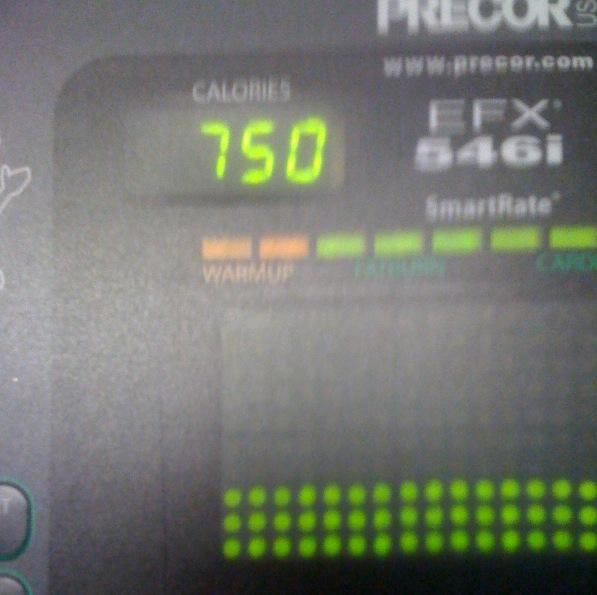
Burned a few calories on the elliptical this evening.
Account
Search
Configure browser push notifications
Chrome (Android)
- Tap the lock icon next to the address bar.
- Tap Permissions → Notifications.
- Adjust your preference.
Chrome (Desktop)
- Click the padlock icon in the address bar.
- Select Site settings.
- Find Notifications and adjust your preference.
Safari (iOS 16.4+)
- Ensure the site is installed via Add to Home Screen.
- Open Settings App → Notifications.
- Find your app name and adjust your preference.
Safari (macOS)
- Go to Safari → Preferences.
- Click the Websites tab.
- Select Notifications in the sidebar.
- Find this website and adjust your preference.
Edge (Android)
- Tap the lock icon next to the address bar.
- Tap Permissions.
- Find Notifications and adjust your preference.
Edge (Desktop)
- Click the padlock icon in the address bar.
- Click Permissions for this site.
- Find Notifications and adjust your preference.
Firefox (Android)
- Go to Settings → Site permissions.
- Tap Notifications.
- Find this site in the list and adjust your preference.
Firefox (Desktop)
- Open Firefox Settings.
- Search for Notifications.
- Find this site in the list and adjust your preference.